Upload each form once
Keep your standard forms as private PDFs, with versions, so you can update a form and still see the older ones.
Upload each of your standard forms once. An AI assistant drafts the web form, you approve it, and from then on you send it to any customer from your CRM. It is built into Service Shop first, and works for any business that uses a CRM: contractors, field crews, law firms, property managers, realtors, inspectors and HR.
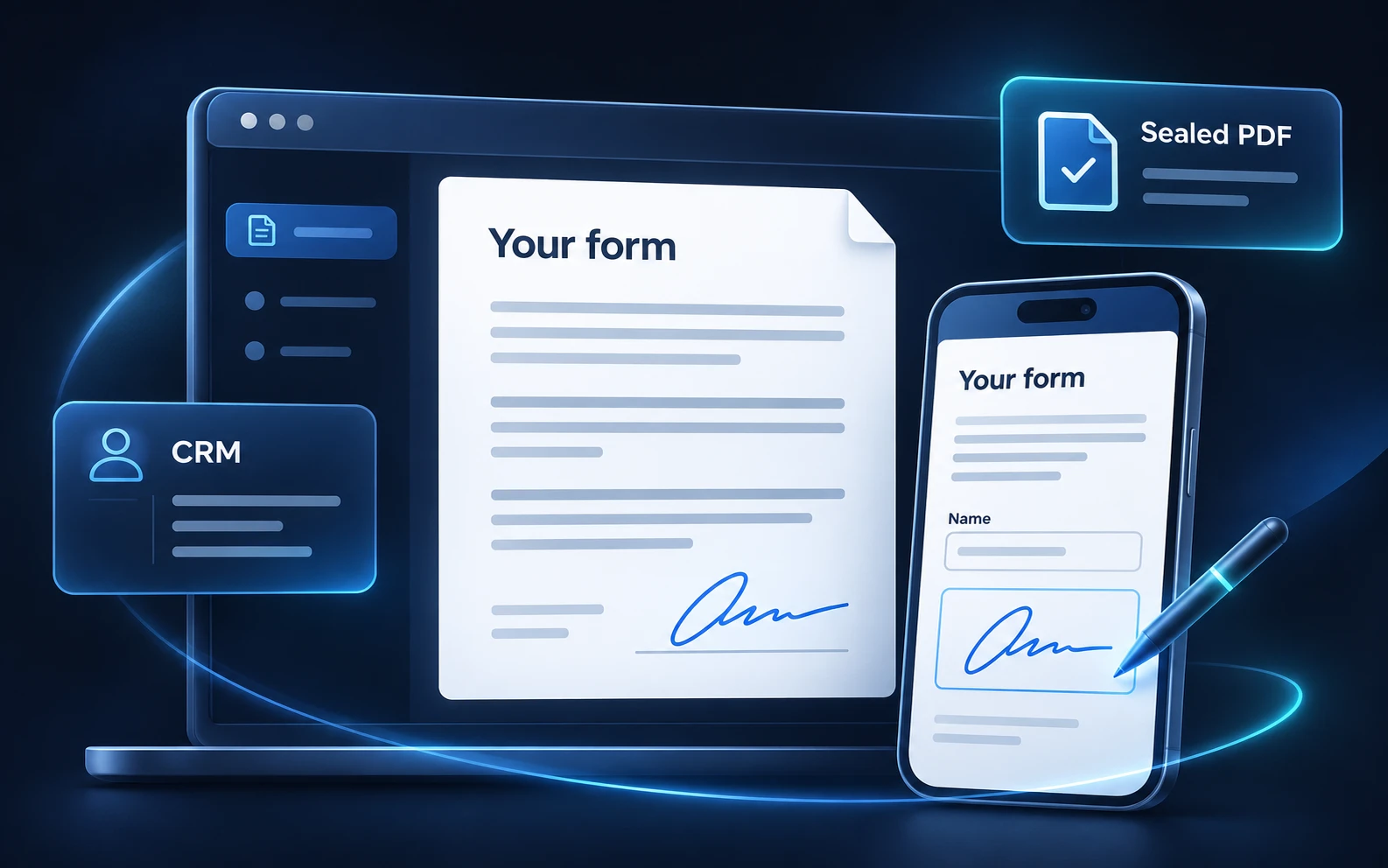
E-Signatures replaces paper for the documents your customers sign. It is not tied to one trade. Service Shop is the example used on this page, but the same signing works for any business: you bring your own forms and send them from your CRM.
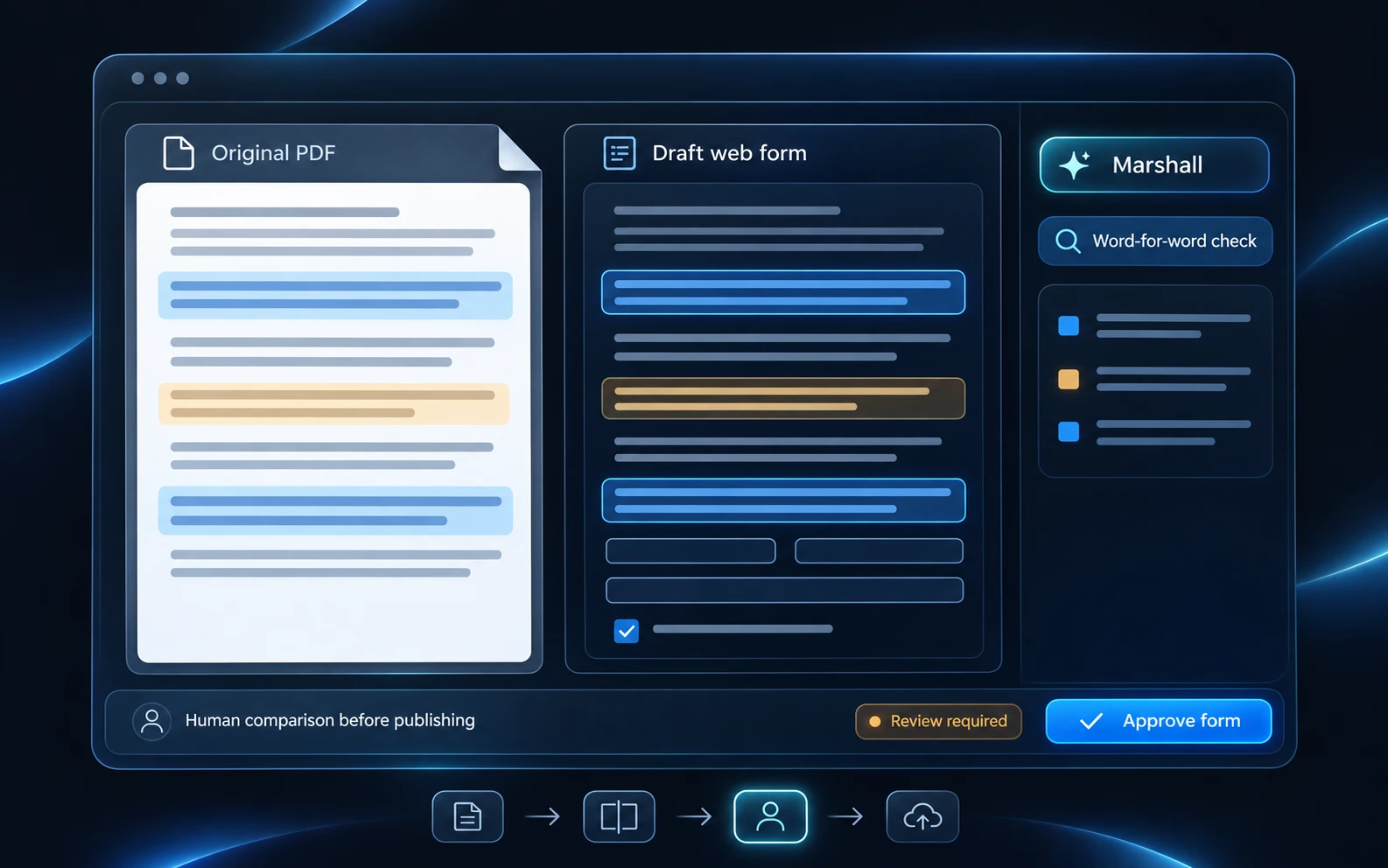
In Service Shop it handles the repair counter: the Repair Order Agreement, the estimate approval, the waiver of the written estimate and the pickup signature, all attached to the repair order. For every other kind of document, you upload a standard form as a PDF once. Marshall, the forms assistant in the AI Team add-on, reads it and drafts a web form that copies your own words into sections, questions, statements to tick and the blanks the signer fills in.
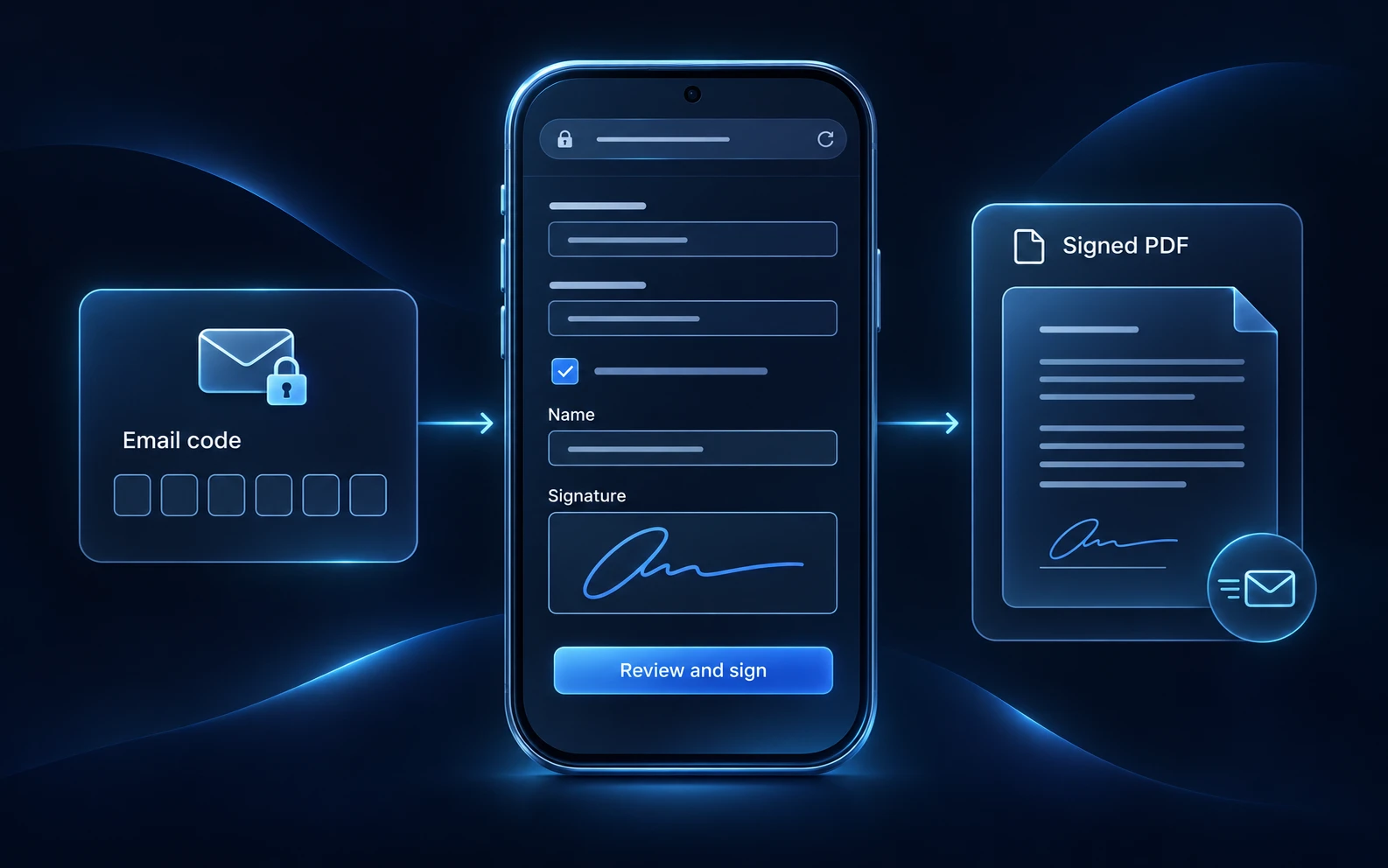
A word-for-word check against your PDF shows anything that differs, and nothing is live until a person on your team has compared the draft with the original and approved it. Then you send the form from a contact or a deal. The customer gets a private link, confirms it is them with a one-time code emailed to them, fills in the blanks and signs with a typed name and a drawn signature.
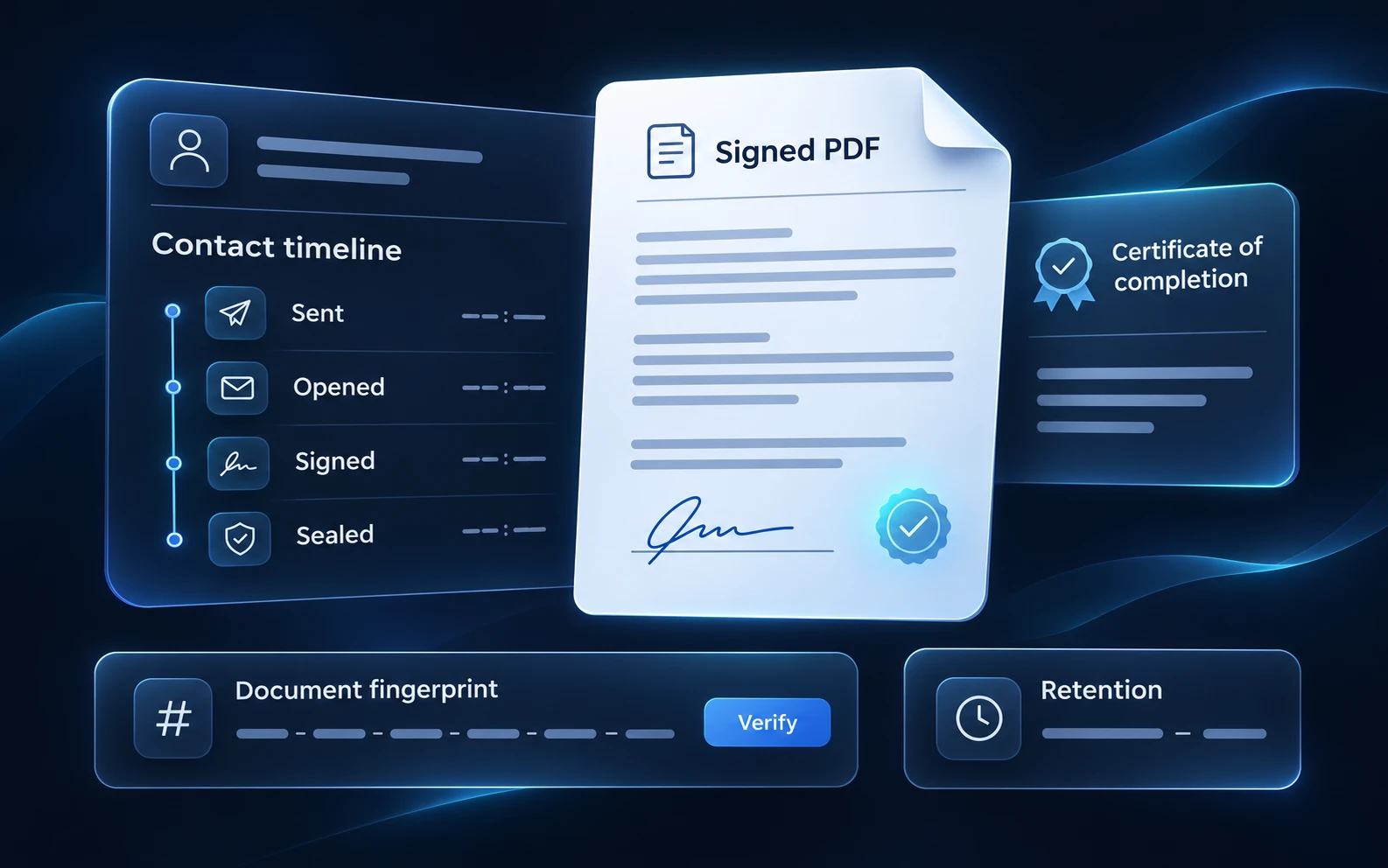
A team member counter-signs, or the document is sealed at once, as you choose. The signed PDF carries your wording, what the customer entered and a certificate of completion. Every step appears on the contact's timeline, and the customer gets a copy by email.
Keep your standard forms as private PDFs, with versions, so you can update a form and still see the older ones.
Marshall, the forms assistant in the AI Team add-on, reads your PDF and copies its own wording into a web form. He does not rewrite your clauses or invent text, and he flags what he was unsure about.
Every sentence of the draft is compared with the text of your PDF, and sentences of the original that are missing from the draft are listed too.
A person compares the draft with the original beside it, edits it if needed and approves it. You confirm any differences yourself.
Send a form from a contact, and tie it to a deal. The customer gets a private link, a one-time email code and a form that works on a phone.
Signers fill in text, dates, numbers, choices and checkboxes, answer yes or no questions, tick statements and sign by typing and drawing.
Counter-sign or seal at once. The PDF shows your wording, the answers and a certificate with the audit trail, and its fingerprint lets you check that it has not changed.
Sent, opened, signed, sealed, cancelled and expired appear on the contact and deal. You choose how long signed PDFs are kept.
Customers sign your own wording, converted once, instead of a form someone else wrote.
Customers sign from a phone, so the work or the sale can move without printing, scanning or waiting.
Nothing the assistant drafts goes live without your approval, and only people you allow can send documents.
The exact wording, the answers, who signed, when and from where are kept with a sealed PDF you can verify.
Documents are tied to the contact and the deal, with each step on the timeline, so nobody hunts through folders.
Choose how long signed PDFs are kept. When the period passes only the file is deleted, and the record and its fingerprint stay.
After you approve the web form you send it again and again.
Time, address and device for each action on a signing.
Signed documents are sealed and stored with the customer.
Results depend on your business and how you use the add-on. E-Signatures gives you a clear record of who signed what and when, but it does not provide legal advice. Marshall is an AI and can make mistakes, so you must review the draft against your original, and your own lawyer should review your forms and the electronic-signing notice customers agree to. Customers sign the web form, which is made from your form and looks different from your printed layout. Each form has one signer and an optional counter-signature, so a document that several people must sign together, such as a lease signed by landlord and tenant, is not supported yet. Outside Service Shop, signed documents are sent from the contact in your CRM and filed on that contact and its deal: the other add-ons do not yet attach them to their own jobs, matters, leases, listings, inspections or employee records.
Service Shop was first, and its four repair documents show how it works. The same web forms can be sent from your CRM to any contact, whatever add-ons you use. These are examples of documents you can bring: you provide the wording, and the signing works the same way.
The agreement before work starts, the approval of each estimate line, the waiver and the pickup signature are signed from the repair order, and the signed copies appear in the customer's portal.
For example a proposal or contract acceptance, a change-order approval and a completion sign-off, sent to the client from the CRM and tied to the deal.
For example the customer's sign-off on finished work, a service agreement or a visit acknowledgment, signed on their own phone.
For example an engagement letter, a fee agreement or a conflict waiver, with a sealed copy and audit trail kept on the client's contact.
For example a rental application acknowledgment, a notice or a move-in acknowledgment that one person signs.
For example a disclosure acknowledgment or a buyer or seller acknowledgment that one person signs, sent from the contact.
For example an inspection agreement signed before the job and an acknowledgment of the report afterwards.
For example a policy acknowledgment or an offer-acceptance letter, signed by the person it is sent to.
Every Capitas Cloud app and add-on shares the same customers, catalog and data. E-Signatures works with your CRM and Service Shop, and uses the AI Team add-on to convert your forms.
Book a presentation and we will show you E-Signatures with one of your own forms, or ask for your free dynamic website design with your customer portal built in.
Live sites running on Capitas Cloud tools. Scroll inside a card to explore it, or use Open site to view it in a new tab.
 Baseline Motion Tennis
Open site (opens Baseline Motion Tennis in a new tab)
 Signal Vista Digital
Open site (opens Signal Vista Digital in a new tab)
 Cue Vista Productions
Open site (opens Cue Vista Productions in a new tab)
Tell us about your business and we will design a dynamic website with your Capitas Cloud tools, free until you are completely satisfied. You will see it running in our studio domain before you approve it and move it to your domain.
We are working on your free dynamic website design. We will send you an email when it is ready, so you can see it running before you approve it.