Your own Google Ads account
Sign in with Google, choose your ad account and read your results. You can disconnect at any time, which revokes access and deletes what was stored.
Connect your own Google Ads account, let Daria draft Search campaigns and spot what to change, and approve every step yourself. A daily spending limit protects your budget, and leads from your ads are recorded in your CRM.
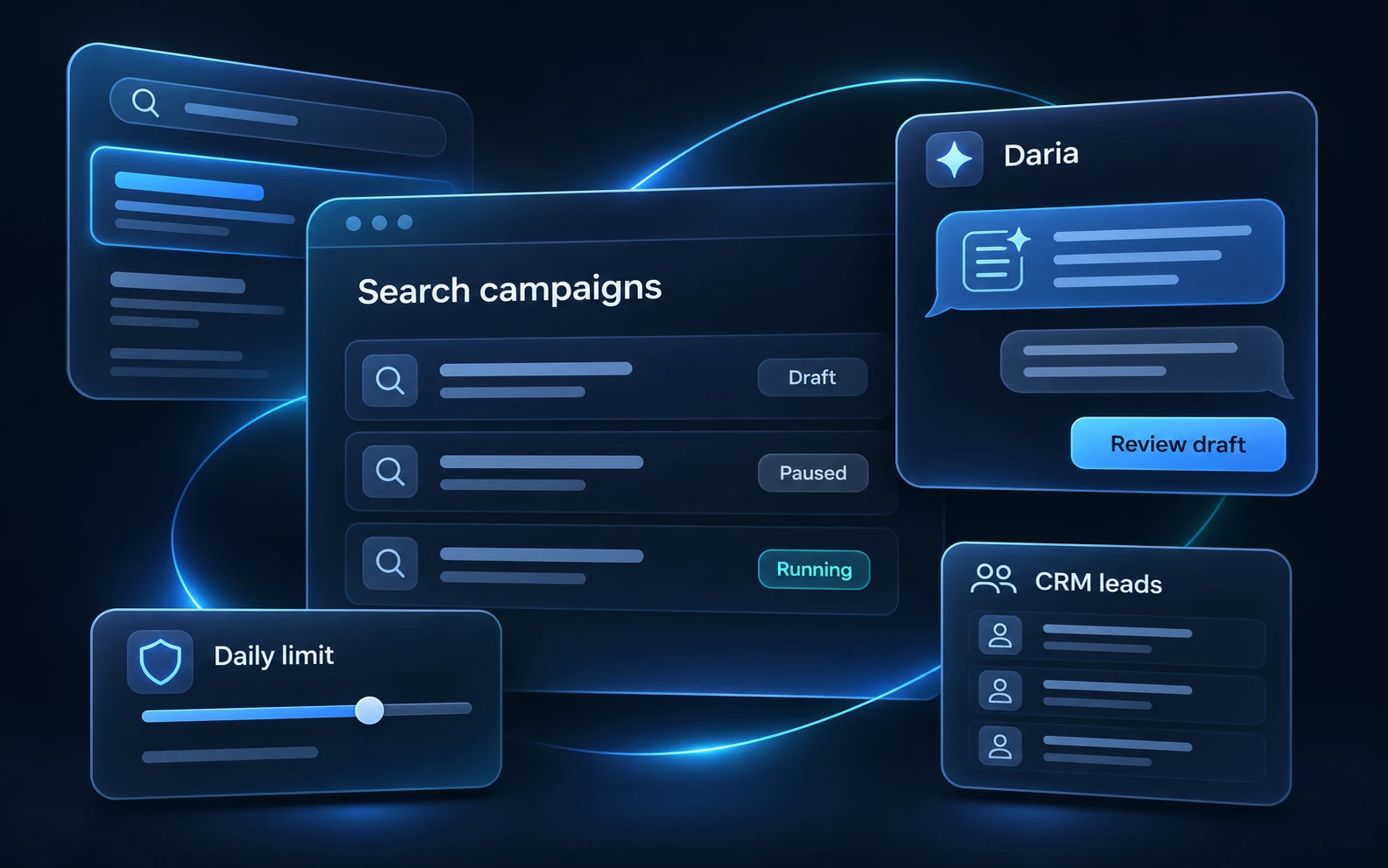
Search Engine Advertising connects your Capitas Cloud app to your own Google Ads account. Your ad spend stays with you and Google: Capitas never handles it. It works together with Daria, the paid-search marketer of the AI Team add-on, so both add-ons are needed.
Daria reads your results, your own website pages and Google keyword data, then writes Search campaign drafts and suggestions for changes. She cannot launch, start, pause or change anything in your ad account. A person on your team reviews each draft or suggestion and presses the button.
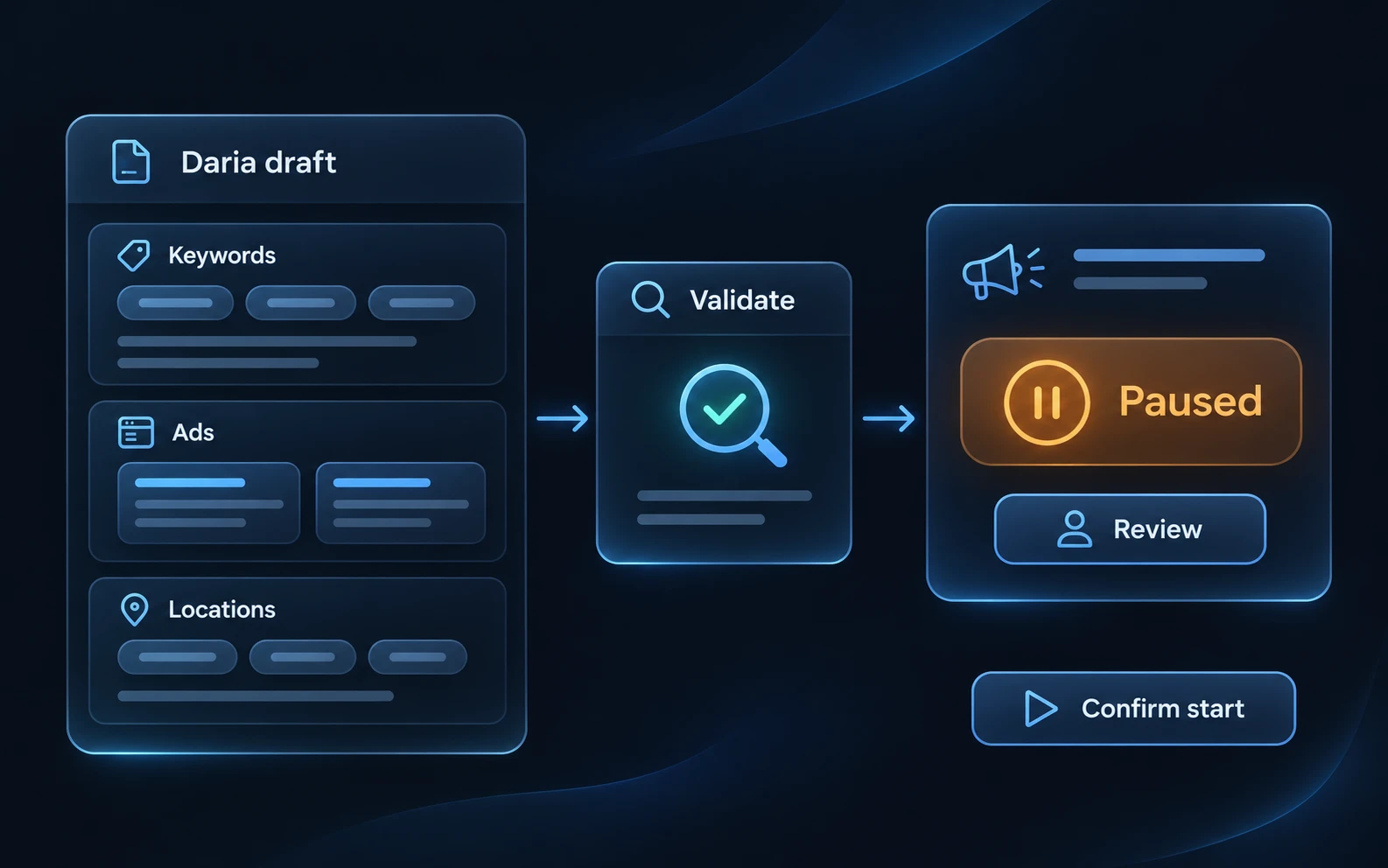
Safety is built in. Nothing can launch or start until you set a daily spending limit for all campaigns together. New campaigns are created paused, and starting one is a separate, confirmed step that is refused if your running budgets would exceed the limit.
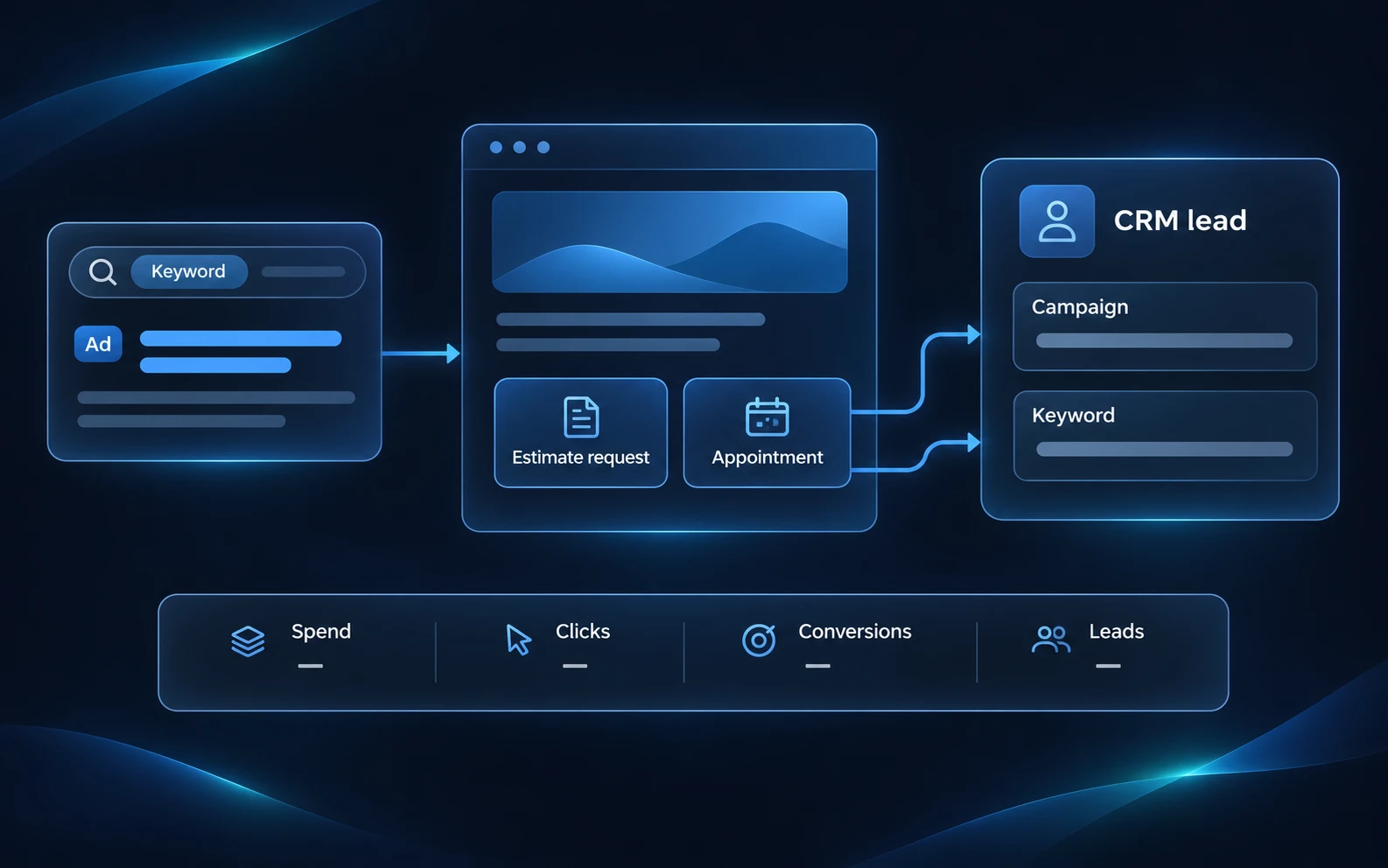
When a visitor arrives from a Google ad and then sends an estimate request or books an appointment, the lead is recorded with the campaign and keyword that brought them, and with the value you set for that kind of lead. You see Google's numbers and your own leads side by side.
Sign in with Google, choose your ad account and read your results. You can disconnect at any time, which revokes access and deletes what was stored.
Write a Search campaign with ad groups, keywords, responsive ads, negative keywords and locations. Drafts are checked against ad rules before anything is sent.
Ask Google to validate a draft without creating anything. Launching then creates the campaign paused, in one request, so nothing is half-built.
Set a limit for all campaigns together. Starting campaigns or raising budgets above it is refused, checked against Google's live numbers.
Chat about your ads. Daria drafts campaigns, researches keywords and finds places to target, and reviews your numbers every week or on demand.
Pause a keyword, add a negative keyword, pause a campaign or change a budget, each backed by your own numbers and applied only by a person.
Spend, clicks and conversions per campaign and keyword for 7, 30 or 90 days, compared with the period before, plus leads Capitas recorded.
Every change made from your panel is written to an action log, whether Google accepted it or refused it.
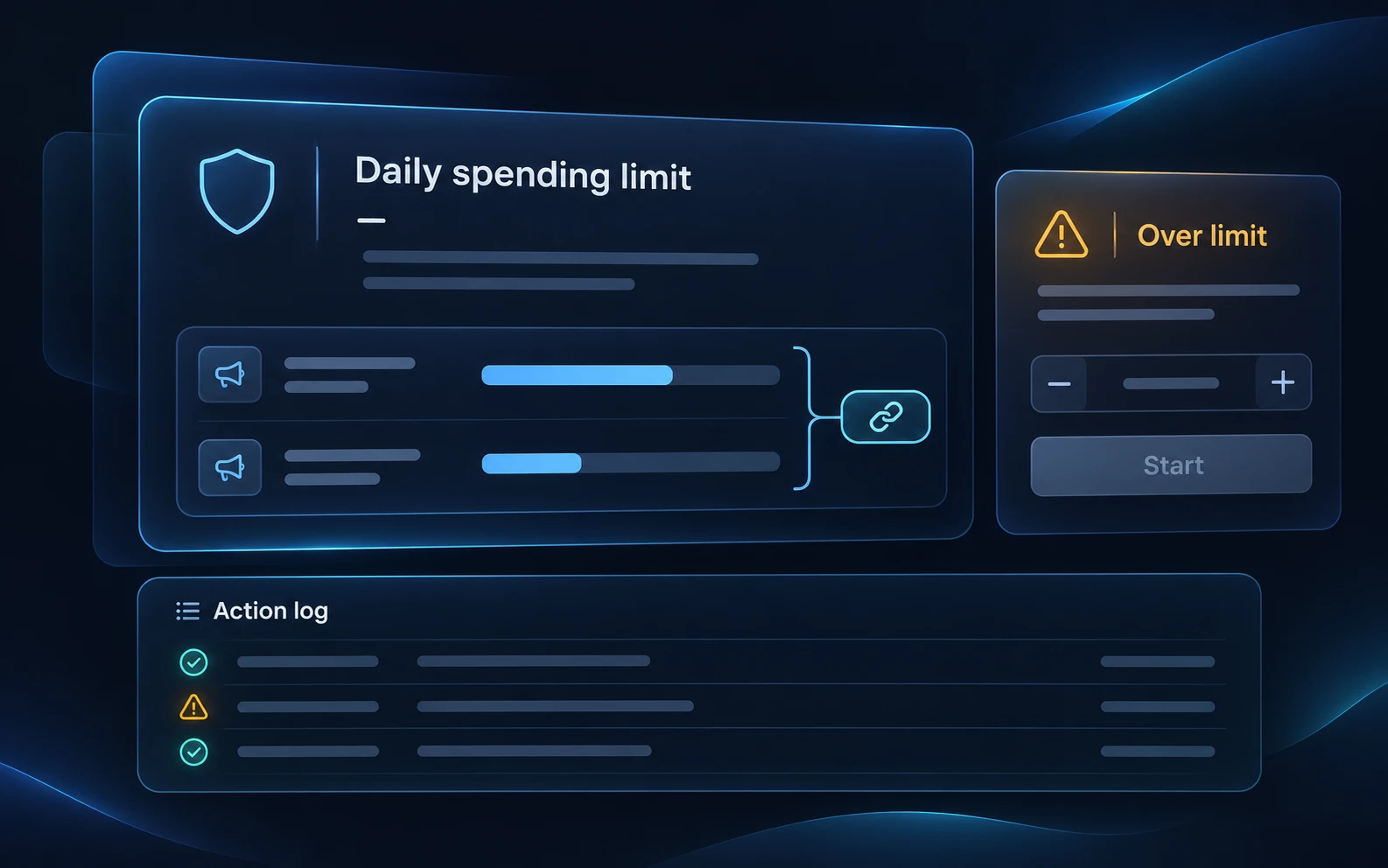
A spending limit, paused launches and confirmations mean a mistake cannot quietly run up a bill.
Your Google Ads account, billing and history stay yours, with no agency lock-in.
Daria writes the first draft from your own website, then you edit and approve it.
Clicks are only part of the story. Leads from estimate requests and bookings are tied back to the campaign and keyword.
Weekly suggestions point to keywords and budgets the numbers support, and nothing is paused on thin data.
Ads, leads, your CRM and your website live together instead of in separate tools.
Campaigns cannot start or grow past the daily limit you set.
See which searches bring customers and which only bring clicks.
Daria drafts and suggests, and a person decides.
Results depend on your business, your market, your budget and your ads. Advertising costs are charged by Google, and no tool can promise clicks, leads or sales. Daria is an AI and can be imperfect, so review every draft and suggestion. Lead tracking covers estimate requests and appointments, and ad tracking should be mentioned in your privacy policy.
Every Capitas Cloud add-on is built to work with the others, so each one you add makes everything you already have work better.
Wherever a customer is involved, their details, leads and conversations land on the same contact records, so your CRM always has the full story.
Where money is involved, invoices and payments flow into invoicing and double-entry accounting, so your books stay in step with the work.
Add-ons share the same customers, catalog and data. Combine them, and each one makes the others more useful.
Everything lives in one Team Panel, and the same panel and its notifications go with you in the mobile app.
Every Capitas Cloud app and add-on shares the same customers, catalog and data. Combine Search Engine Advertising with these to save more time and turn more visitors into revenue.
Book a presentation and we will show you Search Engine Advertising with Daria on your own business, or ask for your free dynamic website design with ad tracking built in.
Live sites running on Capitas Cloud tools. Scroll inside a card to explore it, or use Open site to view it in a new tab.
 Baseline Motion Tennis
Open site (opens Baseline Motion Tennis in a new tab)
 Signal Vista Digital
Open site (opens Signal Vista Digital in a new tab)
 Cue Vista Productions
Open site (opens Cue Vista Productions in a new tab)
Tell us about your business and we will design a dynamic website with your Capitas Cloud tools, free until you are completely satisfied. You will see it running in our studio domain before you approve it and move it to your domain.
We are working on your free dynamic website design. We will send you an email when it is ready, so you can see it running before you approve it.