Why an Exceptional CRM Matters for Small Businesses
A small business survives on relationships. A CRM is the tool built to protect, organize, and grow them.
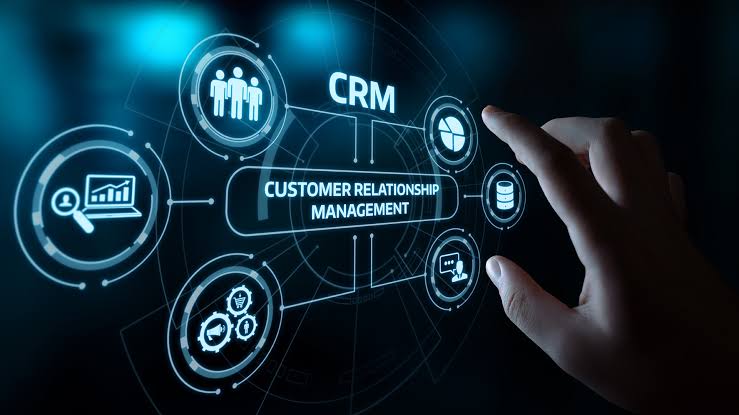
A small business survives on relationships, and an exceptional CRM (customer relationship management) system is the one tool built to protect, organize, and grow them.
In a small company the owner often is the sales team, the support desk, and the marketing department. Customer knowledge lives in that person’s head, in a phone’s contact list, in scattered email threads, and in sticky notes. That works at ten customers. It breaks at a hundred, and it collapses the moment someone is sick, leaves, or gets busy. A CRM replaces that fragile arrangement with a single, shared, searchable record of every person and company the business deals with, and every conversation that has taken place.

Why an exceptional CRM matters
It protects the revenue you already have. Acquiring a new customer typically costs far more than keeping an existing one, yet small businesses routinely lose repeat work through missed follow-ups, forgotten renewals, and slow replies. A CRM surfaces who is due for a call, whose quote went quiet, and whose service anniversary is next week, so the opportunity is not lost to a busy afternoon.
It turns scattered information into one source of truth. When every note, email, call, quote, and invoice attaches to a customer record, anyone on the team can pick up a conversation without asking the customer to repeat themselves. That continuity is the quiet engine of a good customer experience.
It makes small teams more productive. Automation handles the repetitive work: reminders, confirmation emails, data entry, lead routing. The hours saved go to selling and serving, which is where a small team creates its value.
It brings discipline to the sales process. A visible pipeline shows what stage every deal is in, what it is worth, and what is stalling. Owners can forecast revenue with evidence rather than optimism, and spot bottlenecks early.
It improves decisions. Reporting shows which lead sources actually produce paying customers, which services are most profitable, and which customers are most valuable. Marketing budget then follows results rather than hunches.
It lets the business scale without losing its personal touch. The best small businesses win because customers feel known. A CRM preserves that feeling as the customer count grows, and it makes onboarding a new employee a matter of days rather than months, because the institutional memory is written down.
What makes a CRM exceptional rather than merely adequate
Many small businesses have tried a CRM and abandoned it. The usual cause is not the idea but the execution: a system that is too complex, too slow to update, or disconnected from the tools people already use becomes a database nobody trusts. An exceptional CRM is defined by a few qualities:
- Simplicity and speed. Logging a call or adding a contact should take seconds, ideally from a phone. If the tool is a chore, the data will be stale.
- Adoption by design. It fits the way the business actually works, with fields, stages, and terminology the team recognizes, rather than forcing a rigid enterprise process.
- Connectedness. It pulls in email, calendar, phone, website forms, and billing automatically so the record builds itself.
- Useful automation. It does real work, such as follow-ups, reminders, and routing, without requiring a technical specialist to configure it.
- Clear insight. It answers the owner’s real questions at a glance: what is in the pipeline, what is overdue, what is working.
- Right-sized cost and security. Pricing scales with a small team, and customer data is protected with proper access controls and backups.
Core functions and capabilities a CRM should include
1. Contact and company management
- Centralized profiles for people and organizations, with custom fields, tags, and segments
- Relationship mapping (who works for whom, household or account links)
- Full activity timeline per record: emails, calls, texts, meetings, notes, files
- Duplicate detection and merging, plus easy import and export
- Search and filtering that works instantly across all records
2. Lead capture and management
- Web forms, chat widgets, landing pages, and email capture that create records automatically
- Lead sources and campaign attribution
- Lead scoring and qualification criteria
- Automatic assignment and routing to the right team member
- Instant notification when a new lead arrives
3. Sales pipeline and deal tracking
- Visual, drag-and-drop pipeline with customizable stages
- Deal value, probability, expected close date, and owner
- Quotes, proposals, and estimates with e-signature
- Sales forecasting and win/loss tracking
- Stalled-deal alerts
4. Task, calendar, and follow-up management
- Tasks and reminders tied to contacts and deals
- Calendar sync and online appointment booking
- Recurring follow-up sequences
- Daily agenda view showing exactly who to contact today
5. Communication hub
- Two-way email sync with templates and tracking (opens, clicks, replies)
- Click-to-call, call logging, and call recording
- SMS and messaging channels
- Shared inbox so a team can handle customer messages together
6. Marketing automation
- Email campaigns and newsletters to segmented lists
- Drip sequences and nurture workflows triggered by behavior
- Birthday, anniversary, and renewal campaigns
- Review and referral requests after a completed job
- Unsubscribe and consent management
7. Customer service and support
- Ticketing or case management with status and priority
- Knowledge base and canned responses
- Service history and warranty or contract tracking
- Customer satisfaction surveys (NPS, CSAT)
- Self-service portal for customers
8. Workflow automation
- Trigger-and-action rules (“when a lead fills the form, create a task, send a text, and notify the owner”)
- Automatic data entry and status updates
- Approval flows and internal notifications
- No-code builder so non-technical staff can create automations
9. Reporting and analytics
- Dashboards for pipeline, revenue, activity, and response time
- Lead source performance and cost per acquisition
- Customer lifetime value, retention, and churn
- Team performance and goal tracking
- Scheduled reports and custom report builder
10. Mobile access
- Full-featured iOS and Android experience, not a stripped-down viewer
- Offline access and fast note or voice capture
- Push notifications and quick call or text from a record
11. Administration, security, and compliance
- Role-based permissions and field-level access controls
- Audit logs and activity history
- Two-factor authentication and single sign-on
- Encryption, automated backups, and data residency options
- Consent tracking and tools to support privacy laws (CAN-SPAM, TCPA, GDPR, CCPA)
- Multi-user, multi-location, or multi-brand support as the business grows
Tools and integrations a CRM should include or connect to
No small business wants to re-type information. The strongest CRMs either include these tools natively or connect to them cleanly.
| Category | Tools and integrations | What it enables |
|---|---|---|
| Email and calendar | Gmail, Outlook, Google Calendar, Microsoft 365 | Two-way sync, automatic logging, scheduling links |
| Phone and messaging | VoIP, business texting, WhatsApp, social inbox | Click-to-call, call logs, text threads on the contact record |
| Website and forms | Website builder plugins, form tools, live chat, landing pages | Leads captured straight into the pipeline |
| Payments and invoicing | Stripe, PayPal, Square, QuickBooks, Xero | Invoices, payment status, and revenue visible on the customer record |
| Quotes and e-signature | Built-in proposals, DocuSign-style signing | Faster approvals without leaving the CRM |
| Marketing | Email platforms, SMS, ad platforms, social scheduling | Segmented campaigns and attribution back to revenue |
| Scheduling | Booking pages, appointment reminders | Fewer no-shows, less back-and-forth |
| Support | Help desk, knowledge base, chatbot | Tickets and answers tied to the same customer history |
| Automation and connectors | Zapier, Make, webhooks, open API | Links to any app that lacks a native integration |
| Data and analytics | Spreadsheet export, BI dashboards, data warehouse sync | Deeper analysis beyond built-in reports |
| AI assistance | Email drafting, call summaries, lead scoring, next-best-action suggestions | Less admin work and faster, better follow-up |
| Security and admin | SSO, two-factor authentication, backup tools | Protection for sensitive customer data |
Two capabilities deserve special attention. An open API with webhooks keeps the business from being locked in, because custom workflows and future tools can always connect. AI assistance is increasingly a practical differentiator: summarizing a long email thread, drafting a follow-up, or flagging a lead that has gone cold saves real time for a team that has none to spare.
Conclusion
For a small business, a CRM is not a luxury reserved for large companies; it is the infrastructure that lets a small team behave like a well-run big one. It keeps customers from slipping through the cracks, gives the owner a clear view of the pipeline, removes repetitive work, and preserves the personal attention that is a small business’s greatest competitive advantage.
The measure of an exceptional CRM is not how many features it lists but whether the team actually uses it every day. The right choice is simple to use, connected to the tools already in place, automated where it counts, and able to grow with the business. When those conditions are met, the CRM stops being software and becomes the memory and the discipline of the company.